Software / Archived overview
The LTStudio workspace.
Archived material describes LTStudio as a Windows-based desktop application for patterns, Python services, visualization, and test flows.
Current versions, supported operating systems, drivers, and capabilities require confirmation. This is not a browser-based instrument interface.
LTStudio interface
The following screenshots are from archived LTStudio material. They show the desktop application interface and workspace.
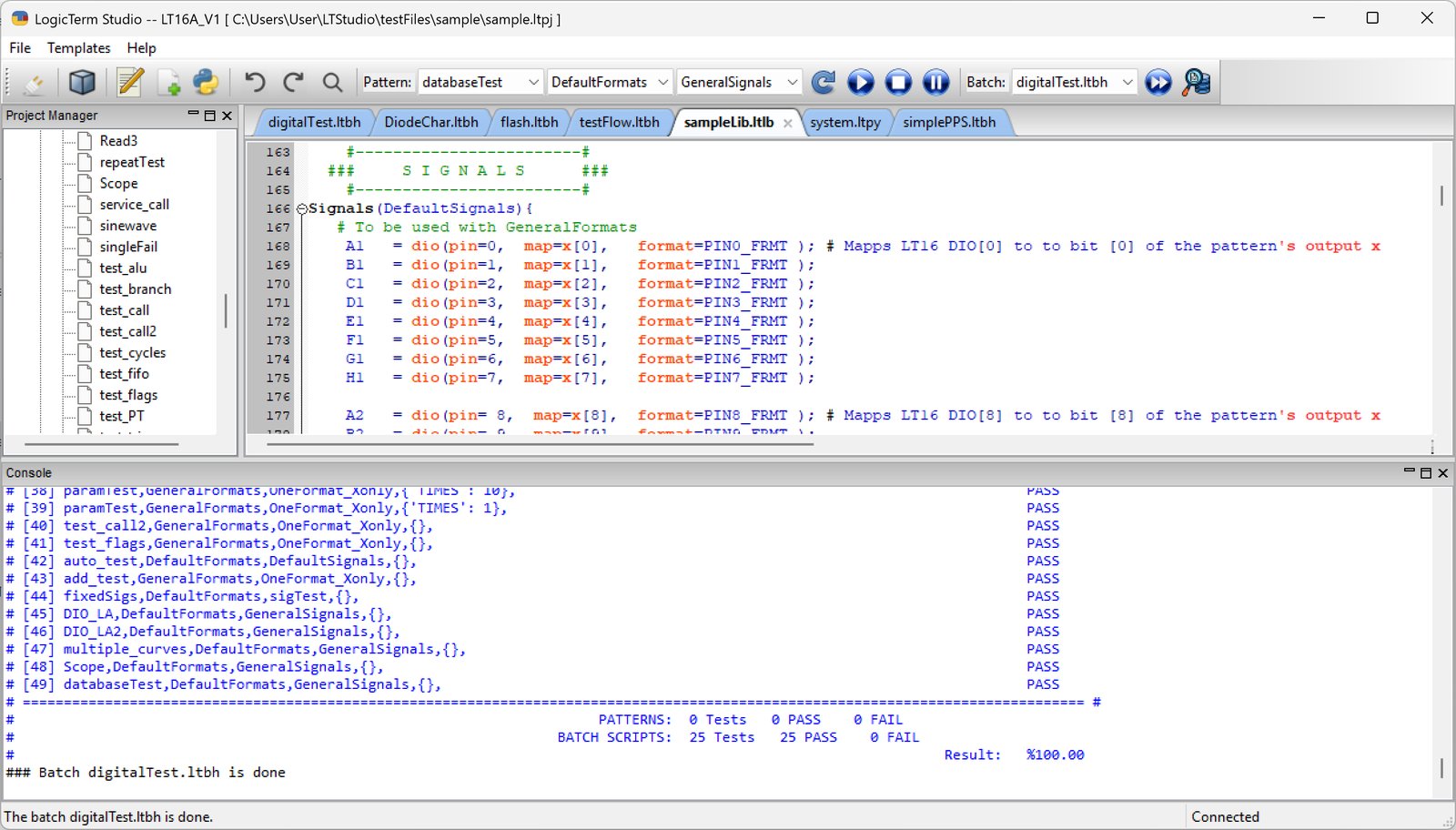
Desktop application, public text library
The public library holds inert text objects organized as Patterns, Signals, Formats, Services, and Batches. Files may include multiple definitions or Python hardware commands. Inspecting or downloading a file here never runs it.
Inspect attribution, reuse terms, source, revision history, and SHA-256 checksums before reuse. A checksum verifies bytes, not hardware safety or compatibility.
LTStudio network compatibility requires verification. The website library and read-only metadata endpoints do not establish that LTStudio can connect to this service.
Inspect the public libraryGetting started, with clear boundaries
- Review archived introductory and installation references; confirm current guidance first.
- Confirm your hardware revision, supported desktop release, and drivers with engineering.
- Read text objects and their reuse terms before downloading. Review any hardware commands outside the website with appropriate expertise.